In this tutorial, I’m going to learn how to add a URL Analyser Tool. so follow this tutorial in this tutorial we have mentioned it in a very easy way.
Function Of URL Analyser
A URL analyzer tool is a software program that allows you to analyze a URL and obtain various information about it. This tool can be useful for website owners, web developers, SEO professionals, and security experts. Here are some functions of a URL analyzer tool:
- URL Validation: A URL analyzer tool validates the URL entered and checks for any syntax errors or invalid characters.
- Domain Information: The tool can provide information about the domain, such as the registrar, creation date, expiration date, and name servers.
- SSL Certificate: The tool can check if the website has an SSL certificate installed and provide information about the certificate, such as the issuer and expiration date.
- Page Information: The tool can provide information about the webpage, such as the title, meta description, keywords, and header tags.
- Page Speed Analysis: The tool can analyze the page speed of the website and provide suggestions for improvement.
- Backlink Analysis: The tool can analyze the backlinks of the website and provide information about the linking domain, anchor text, and link quality.
- Security Analysis: The tool can analyze the security of the website and check for vulnerabilities such as malware, phishing, and spam.
Overall, a URL analyzer tool can be a valuable tool for anyone who wants to analyze a website and obtain various information about it. The software’s features can help to improve website performance, security, and search engine optimization.
How to use URL Analyser Tool?
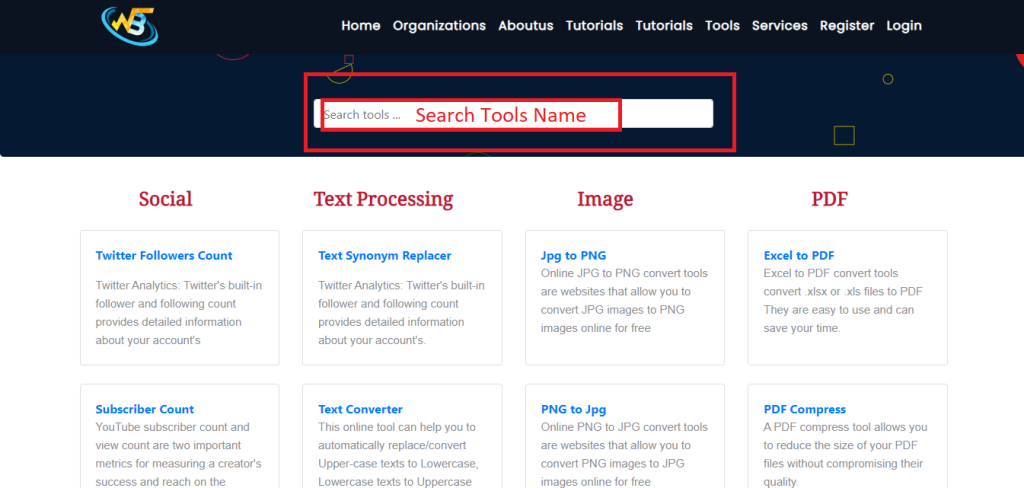
Step 1: Search https://www.wizbrand.com/tools/

Step 2: Also Click Directly https://www.wizbrand.com/tools/url_analyser
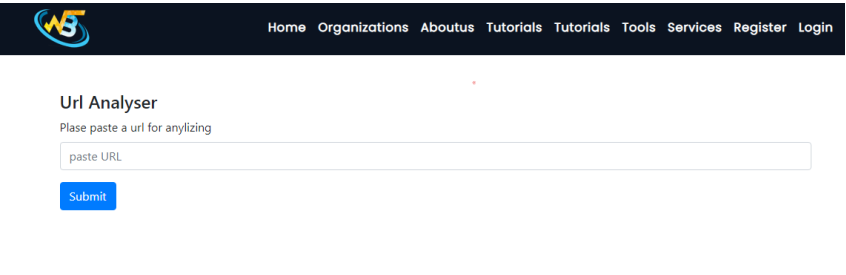
Step 3: Paste Your URL
Step 4: Output
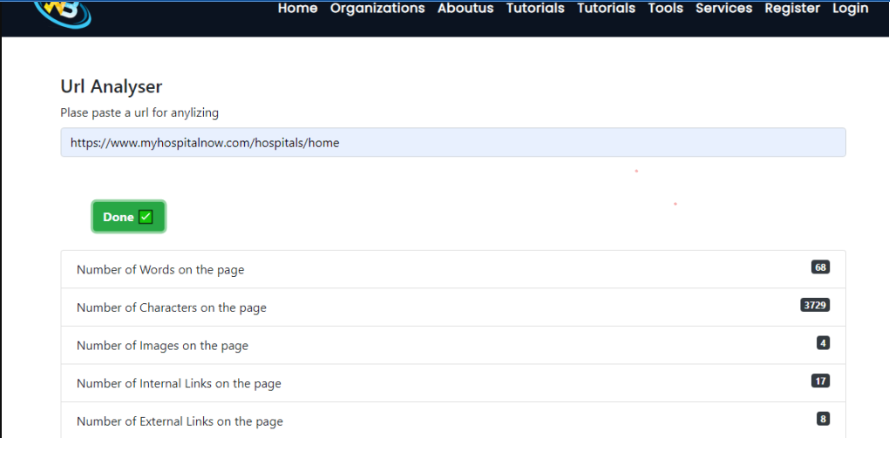
Follow the Links For Further Action
