In web development, understanding the CSS box model properties is essential for creating responsive and visually appealing layouts. Among these properties are height, min-height, max-height, width, min-width, and max-width. In this blog post, we’ll delve into the differences between these properties and how they affect the sizing and layout of elements on a webpage.

Html
<!DOCTYPE html>
<html lang="en">
<head>
    <meta charset="UTF-8">
    <meta name="viewport" content="width=device-width, initial-scale=1.0">
    <title>Height Only</title>
    <style>
        .app {
            /* We'll write the demo code here */
            background-color: yellow;
            border: solid 2px black;
        }
    </style>
</head>
<body>
    <div class="app">
        Lorem ipsum dolor sit amet, consectetur adipiscing elit, sed do eiusmod tempor incididunt ut labore et dolore magna aliqua.
        Ut enim ad minim veniam, quis nostrud exercitation ullamco laboris nisi ut aliquip ex ea commodo consequat.
        Duis aute irure dolor in reprehenderit in voluptate velit esse cillum dolore eu fugiat nulla pariatur.
        Excepteur sint occaecat cupidatat non proident, sunt in culpa qui officia deserunt mollit anim id est laborum.
        Lorem ipsum dolor sit amet, consectetur adipiscing elit, sed do eiusmod tempor incididunt ut labore et dolore magna aliqua.
        Ut enim ad minim veniam, quis nostrud exercitation ullamco laboris nisi ut aliquip ex ea commodo consequat.
        Duis aute irure dolor in reprehenderit in voluptate velit esse cillum dolore eu fugiat nulla pariatur.
        Excepteur sint occaecat cupidatat non proident, sunt in culpa qui officia deserunt mollit anim id est laborum.
    </div>
</body>
</html>
Property Height
The height property in CSS specifies the height of an element’s content area.
If we apply an absolute value of 30 pixels to our previous div by replacing the style with:
<style>
        .app {
            height: 30px;
            background-color: yellow;
            border: solid 2px black;
        }
    </style>
Result:

The text inside the div overflows the container because the text is larger than 30 pixels.
If you want the content (the text) to be contained within the container (the div), you can use the css property overflow: auto. This gives the following style:
<style>
        .app {
            height: 30px;
            overflow: auto;
            background-color: yellow;
            border: solid 2px black;
        }
    </style>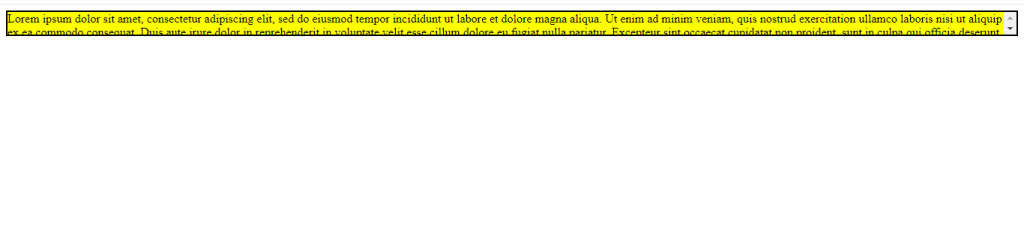
Height with min
The height property can be preceded by min.
<style>
    .app {
        min-height: 510px;
        overflow: auto;
        background-color: yellow;
        border: solid 2px black;
    }
</style>
Result:-
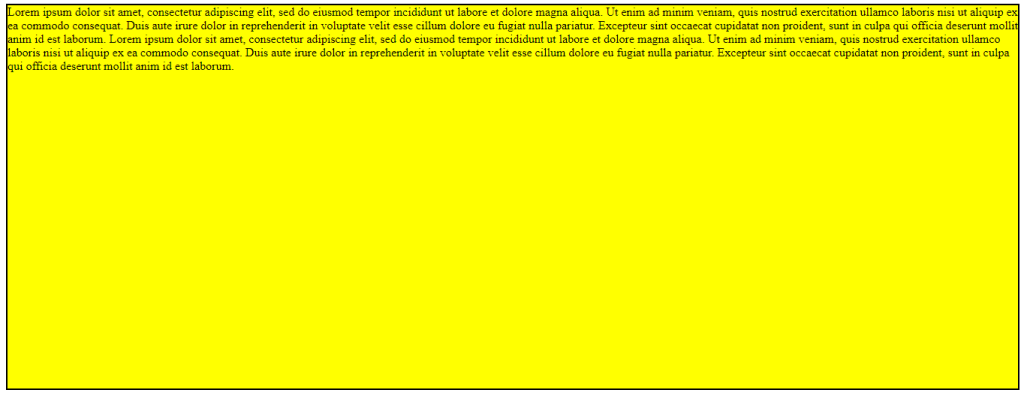
If a min-height value is applied to the div and the contents of the div have a height greater than the specified value, the div will have the height of its contents.
if we apply the following style

Hopefully, it will help you…!!!
